
A compact, app-controlled Bluetooth label maker that’s genuinely useful for kitchen and pantry organization — easy to set up, no ink required, and small enough to keep in a drawer. The label size is limited, so it’s not built for bigger labeling jobs.
Our rating in this niimbot label maker review: 4.3/5
Sticky notes and handwritten labels fall off, smudge, or just look messy. A niimbot label maker fixes that with clean, printed labels you design straight from your phone — no cartridges, no ink, no guesswork. You will discover all of this in this niimbot label maker review.
Here’s what it actually does, where it shines, and where it falls short.
What Is the NIIMBOT Label Maker?
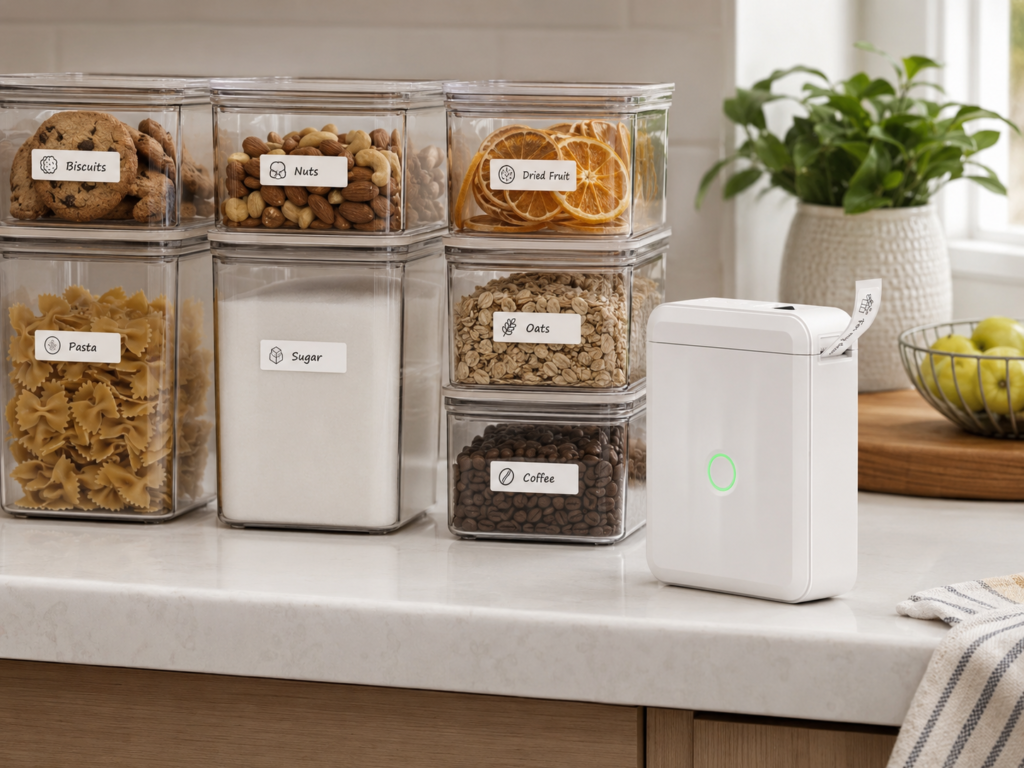
The NIIMBOT label maker is a small, battery-powered Bluetooth printer that connects to a free app on your phone. You design the label — text, icons, or a barcode — in the app, then print it wirelessly. It’s a thermal printer, so there’s no ink or toner cartridge to replace, ever.
Key specs:
- Bluetooth connection via the NIIMBOT app (iOS and Android)
- Thermal printing — no ink or toner needed
- Rechargeable battery, fully charged in about 2 hours via USB-C
- Automatically detects the label roll you’ve inserted
- Waterproof and oil-proof label tape, safe for fridges, pantries, and kitchen containers
- Compact enough to fit in a drawer or a bag
It’s built for exactly this kind of job: labeling bins, jars, shelves, and containers around the house.
What We Like
- Genuinely easy to set up. Pair it with the app, pick a template, print. No manuals needed.
- No recurring ink cost. Thermal printing means the only ongoing cost is label tape.
- Waterproof, oil-proof labels. Holds up fine on containers near the stove or inside the fridge — it won’t peel or smear.
- Compact and portable. Small enough to keep in a kitchen drawer between uses.
- Auto label detection. The app recognizes the tape you’ve loaded and sizes your template accordingly, so you don’t waste labels guessing.
What We Don’t Like
- Limited label size. Great for bin and jar labels, not for anything that needs a large, bold label.
- App-dependent. Everything runs through the phone app — if you’d rather type directly on the device with a built-in keyboard, this isn’t that kind of label maker.
- Proprietary label tape. You’re tied to NIIMBOT-compatible rolls rather than generic tape, which limits how much you can shop around on refills.
Pros & Cons
✅ Easy app-based setup, no learning curve ✅ No ink or toner, ever ✅ Waterproof, oil-proof labels — fridge and pantry safe ✅ Compact and portable
❌ Small label size, not for bigger jobs ❌ Requires the app — no built-in keyboard ❌ Proprietary tape only
Is the NIIMBOT Label Maker Worth It?
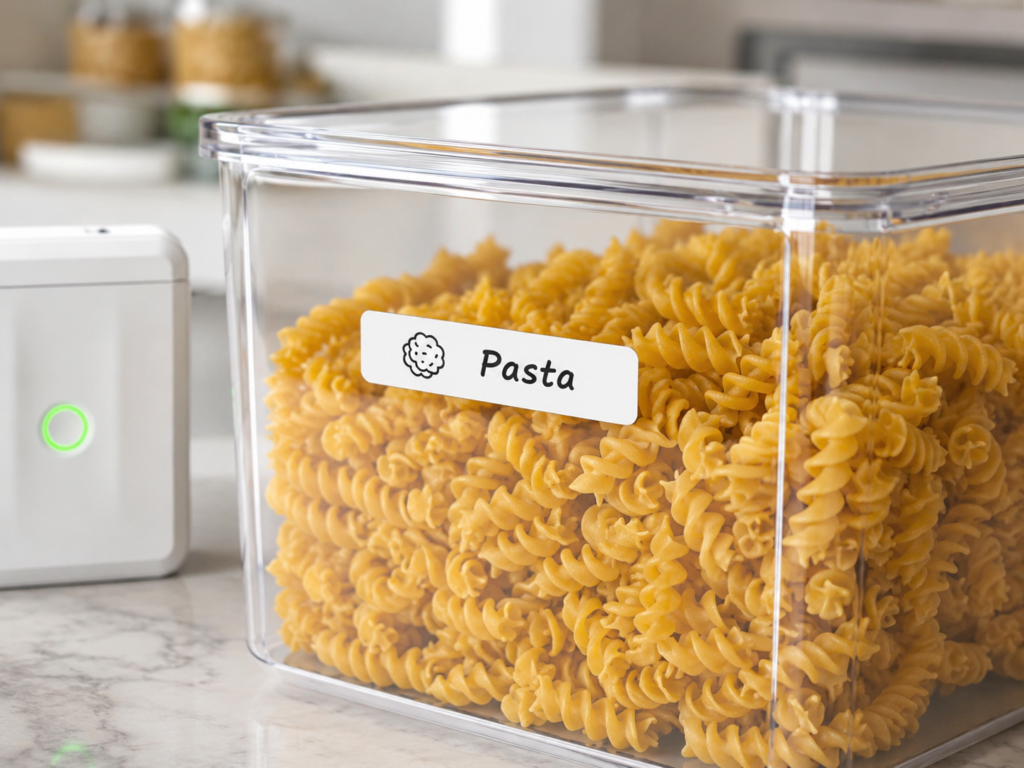
If your goal is a tidy pantry, fridge, or drawer system — where bins and jars need small, clean, damage-proof labels — this is a great pick. It’s fast to set up, the labels genuinely last, and it takes almost no space to store.
If you need large labels, or you’d rather avoid relying on a phone app altogether, look elsewhere.
The NIIMBOT label maker is a great pick if you’re setting up (or maintaining) a labeled kitchen organization system. View here on Amazon.
Want to see this product in action? Check our most-viewed label maker pin on Pinterest.
FAQ
Does the NIIMBOT label maker need ink?
No. It’s a thermal printer, so there’s no ink or toner cartridge — only label tape refills.
Are NIIMBOT labels waterproof?
Yes, the label tape is waterproof and oil-proof, which makes it safe for fridges, pantries, and containers near the stove.
Does the NIIMBOT label maker work without a phone?
No, it connects via Bluetooth and is controlled entirely through the NIIMBOT app — there’s no built-in keyboard or screen.
How long does the battery last?
It’s fully rechargeable via USB-C, with a full charge taking about 2 hours and lasting through several labeling sessions before it needs a recharge.
Can I use generic label tape with it?
No — it uses NIIMBOT-compatible tape rolls, which the app automatically detects and sizes for.
For a kitchen that stays organized instead of drifting back into clutter, a label maker like this is one of the simplest upgrades you can make.
Looking for more Amazon finds like this? Browse our Kitchen Organization page, or check our full fridge organization guide.

Good post. I learn something totally new and challenging on websites I stumbleupon on a daily basis.
It’s always useful to read through content from other
writers and use something from other sites.
My website; Usa Proxies (https://dreamproxies.com/)